
Board
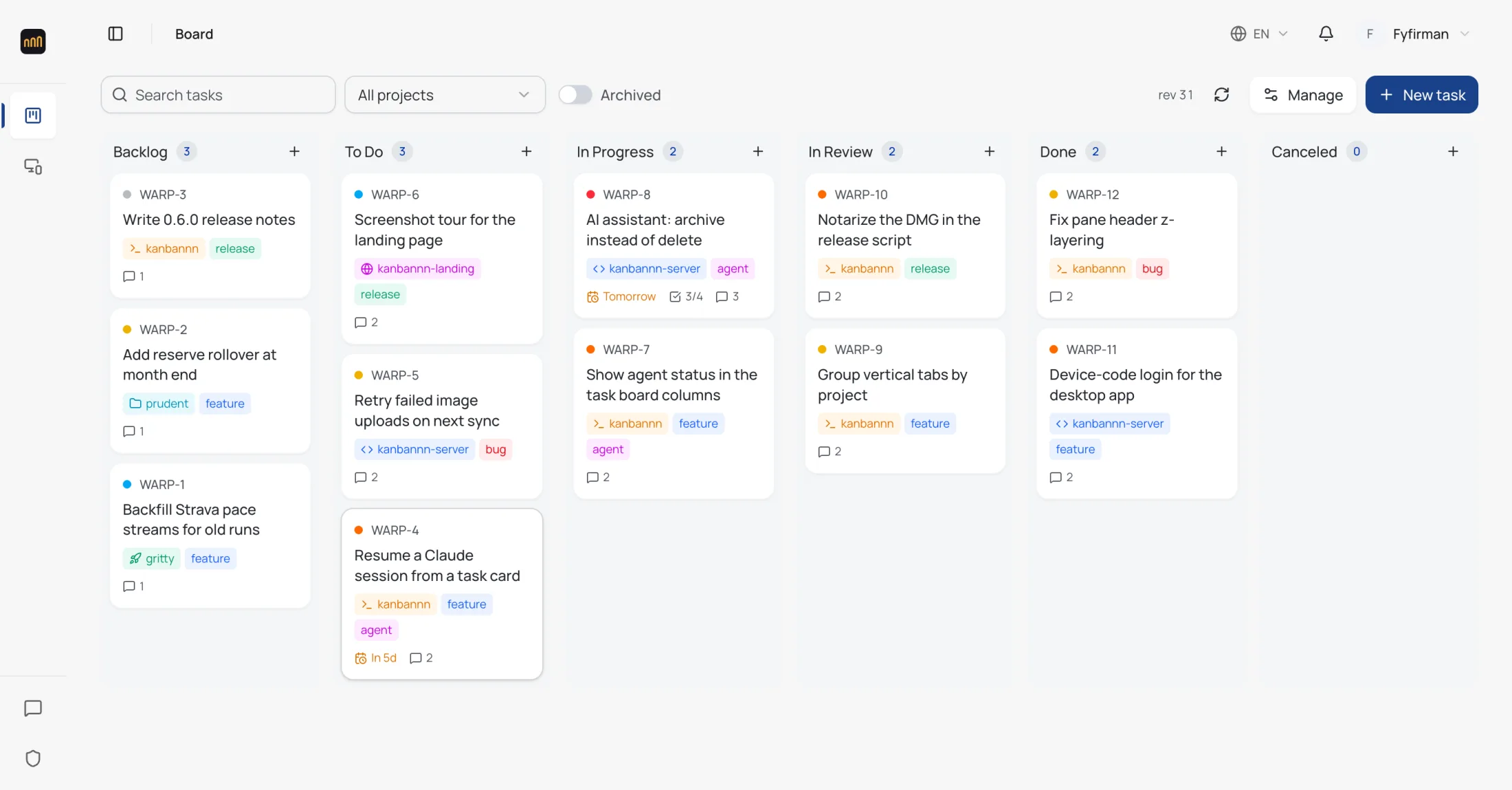
The desktop board, in a browser
The same six columns, the same KNB numbers, the same projects and labels as the app on your Mac. Drag a card and it lands on every paired machine on its next sync.
Loading...
Sign in once and the board in the Kanbannn desktop app syncs two-way with the web - plan from any browser, let the assistant move cards, and pick the work up in the terminal where your agent runs.
How it works
The desktop app is complete without this server. Sync is the part you opt into, when one machine stops being enough.
Download the signed app. The board lives in ~/.kanbannn/tasks.json and works on its own, offline, with no account at all.
From the board's ⋯ menu choose Connect to sync server. The app shows a short code; approve it here while you are signed in.
Create, move and archive cards on the web. Every edit syncs back to each paired machine, and if two change the same card, the newer edit wins.
Ask what is in progress, chart the columns, or have it file and move tasks. It only works on your board, and it archives rather than deletes.
Board
The same six columns, the same KNB numbers, the same projects and labels as the app on your Mac. Drag a card and it lands on every paired machine on its next sync.
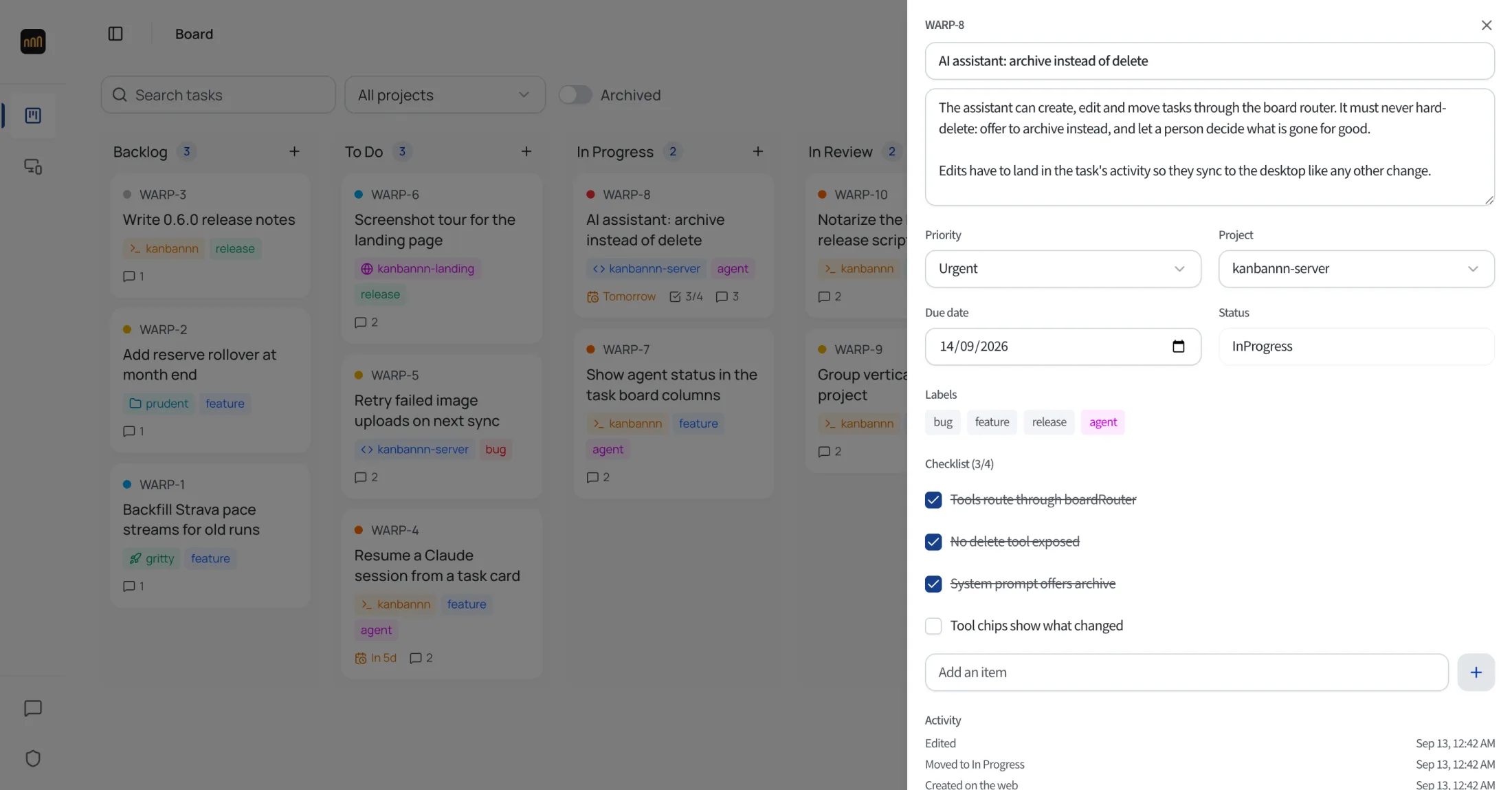
Task
Open a card for its details, checklist, project, labels and due date. Every change - from the web, the desktop or the assistant - is written to its activity, so you can see how it got where it is.
Assistant
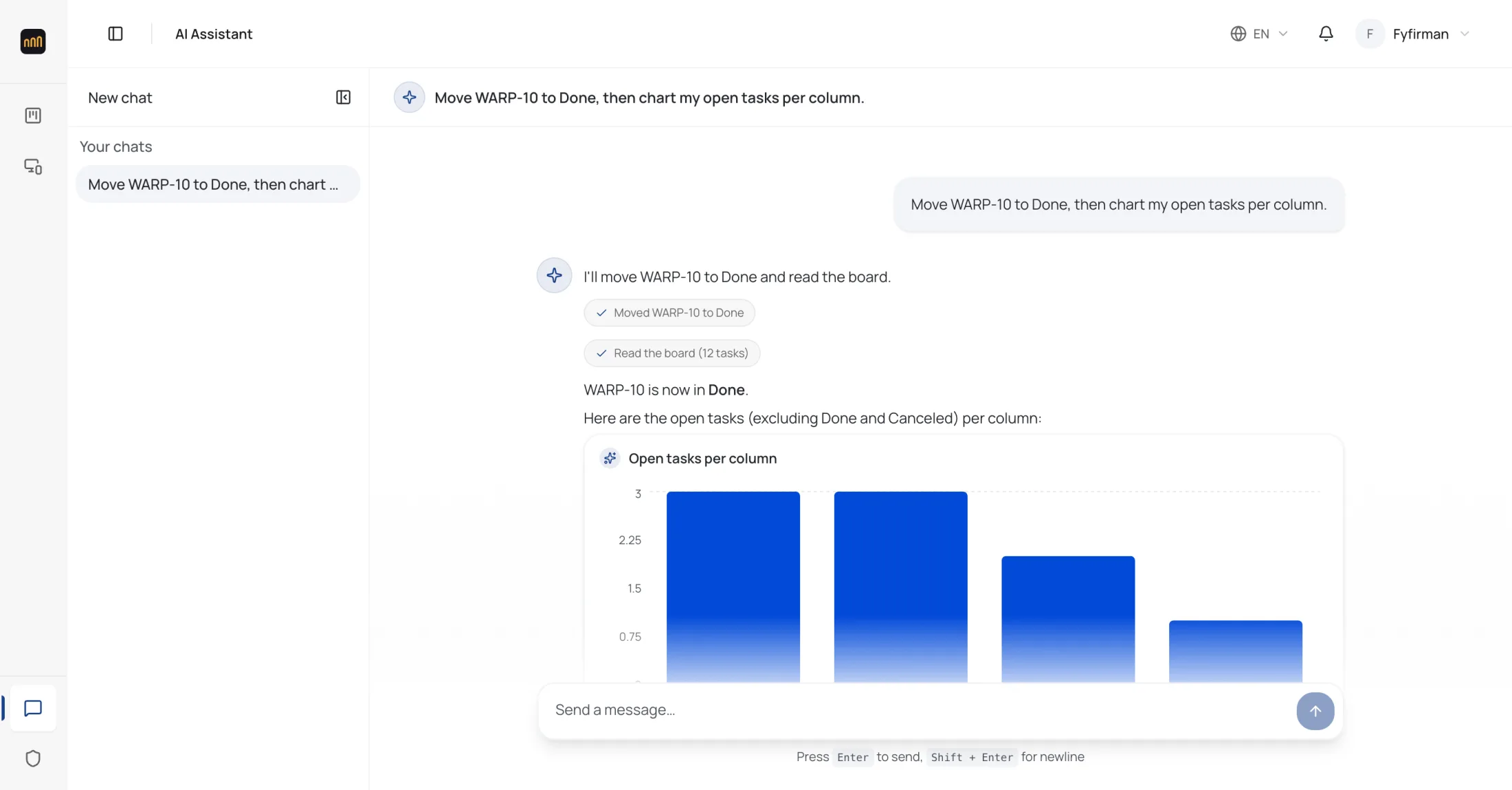
The assistant reads your board before it answers and shows each action it takes. It creates, edits, moves and archives through the same actions the board uses - and it cannot delete.
Devices
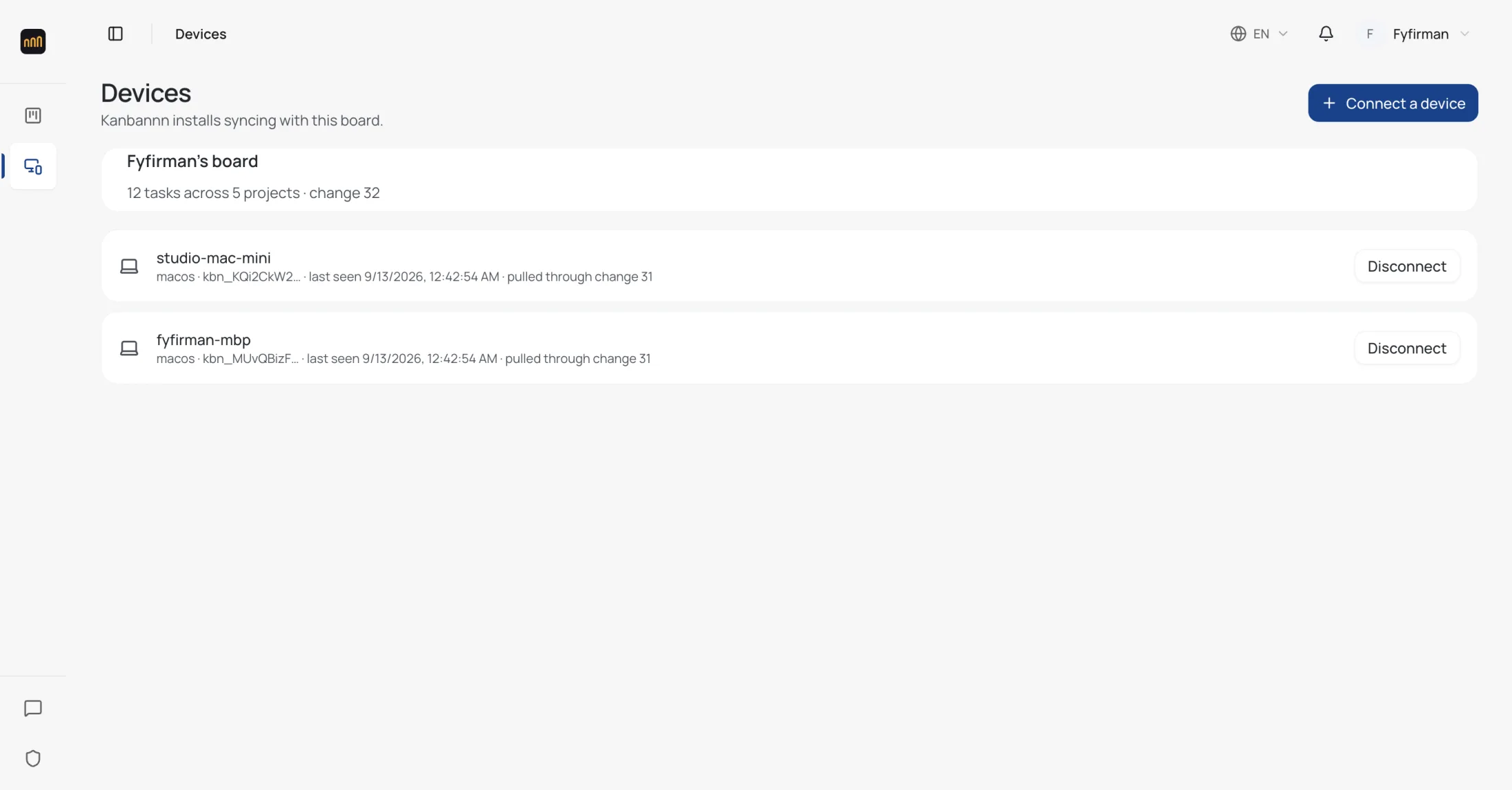
Each paired install is listed with when it last synced. Revoke one and its next request is refused, and the app signs itself out.
FAQ
The short version: your board stays yours, and it stays usable without us.
Do I need an account to use Kanbannn?
No. The desktop app keeps its board in a file on your disk and never asks you to sign in. An account here is only for syncing that board to other machines and to the web.
What happens when I'm offline?
Nothing stops. The app keeps working from its local file and catches up the next time it syncs - it asks for every change after the last one it saw, so the clocks on your machines never have to agree.
What if two machines edit the same card?
The newer edit wins, card by card. A delete travels as a tombstone, so a card removed on one machine does not come back from another, and two offline machines that mint the same KNB number get one renumbered rather than refused.
What can the assistant touch?
Only the board of the account you are signed in with, through the same actions the web board uses - so its edits appear in each card's activity and sync like yours. It can create, edit, move and archive; it cannot delete.
Free for macOS on Apple Silicon, signed and notarized. Install it, then come back here to sync your board.